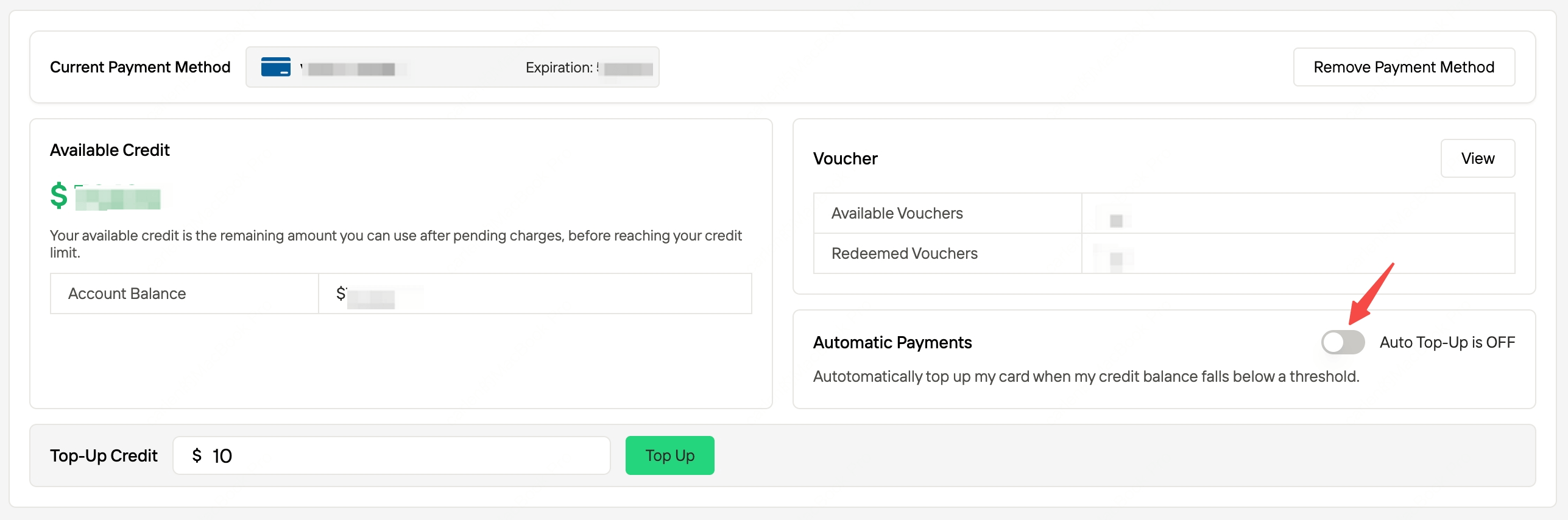
When you enable “Automatic Top-Up”, your account will automatically add credit if the balance falls below a specified threshold. Please follow the steps below to set up this feature:
1. Enable Automatic Top-Up
Go to Payment Methods in the console.
If you don’t have a payment method, click “Add payment method”. You’ll be redirected to Stripe’s secure page to add one, and we do not store any payment information.
2. Automatic Top-Up Settings
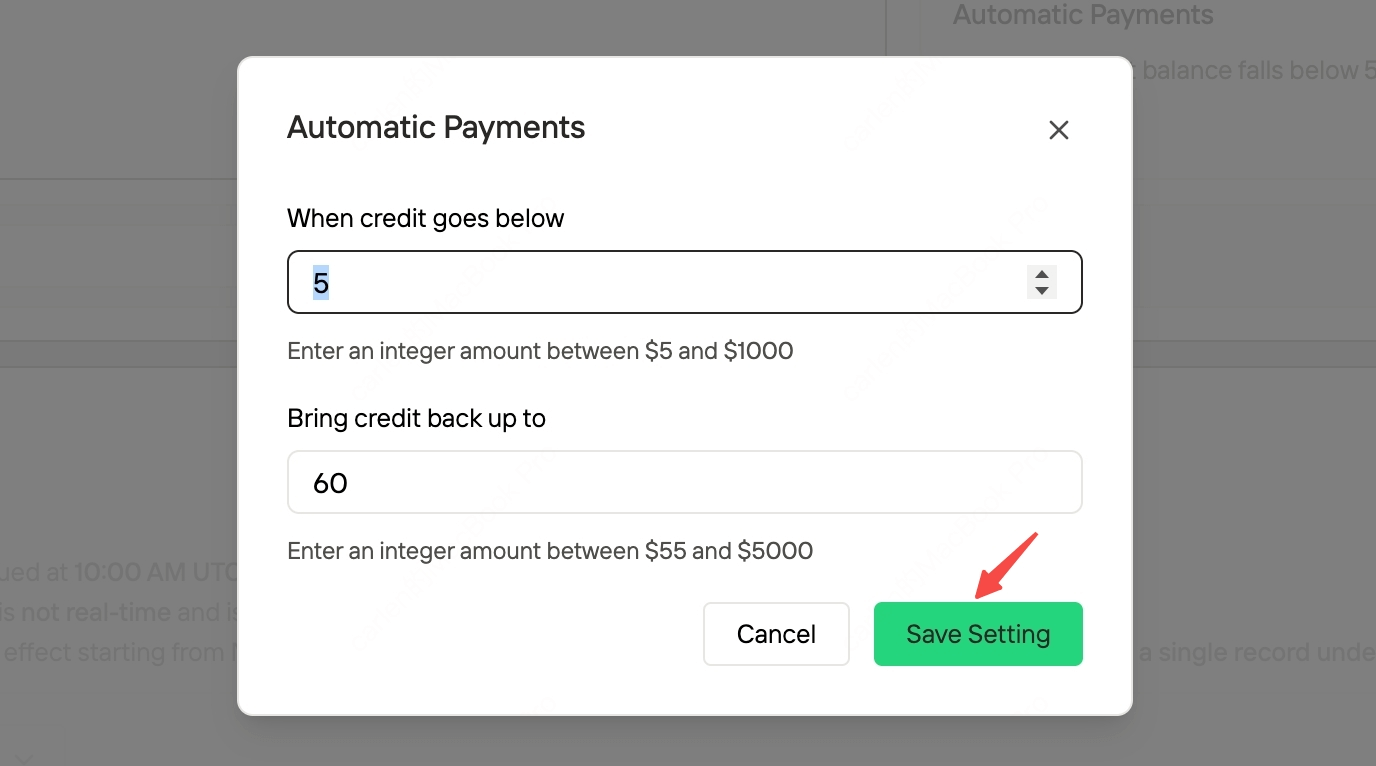
After you turn on the “Automatic Payments” switch, a configuration popup will appear automatically.
Set valid values for “When credit goes below” and “Bring credit back up to”, then click “Save settings” to complete the process.
Last modified on November 14, 2025