> ## Documentation Index
> Fetch the complete documentation index at: https://novita.ai/docs/llms.txt
> Use this file to discover all available pages before exploring further.
# Integração do BrowserUse com o Novita Agent Sandbox
export const SetupApiKeyGuide = () => {
if (typeof document === "undefined") {
return null;
} else {
return <>
If you don't have a Novita account, you need to sign up first. For details, please refer to Quick Start. After signing up, you can create an API key through the Key Management page and save it for subsequent steps.
;
}
};
[BrowserUse](https://github.com/browser-use/browser-use) é um poderoso agente de navegador com IA. Combinado com o ambiente isolado e seguro fornecido pelo Novita Agent Sandbox, você pode criar agentes de IA para navegador com alta simultaneidade e múltiplas tarefas.
Este documento fornece instruções detalhadas sobre como executar projetos BrowserUse com base no serviço Novita Agent Sandbox.
O documento utiliza o template de sandbox `browser-chromium` lançado pela Novita. Se você quiser criar seu próprio template com base neste ou ver um código de exemplo mais completo, consulte [aqui](https://github.com/novitalabs/Novita-CollabHub/tree/main/examples/browser-use).
### 1. Obtenha a chave de API da Novita
### 2. Instale as dependências
Instale os pacotes Python necessários:
```bash Python icon="terminal" theme={"system"}
pip install browser-use
```
### 3. Código de exemplo
Antes de começar, você precisa configurar as variáveis de ambiente necessárias:
```bash Bash icon="terminal" theme={"system"}
export NOVITA_API_KEY=""
export LLM_API_KEY=""
export LLM_BASE_URL=https://api.novita.ai/openai
export LLM_MODEL=""
```
Salve o seguinte código:
```python agent.py icon="python" theme={"system"}
import asyncio
import base64
import os
import time
import dotenv
dotenv.load_dotenv(override=True)
from browser_use import Agent, BrowserSession
from browser_use.llm import ChatOpenAI
from novita_sandbox.core import Sandbox
async def screenshot(agent: Agent):
# Screenshot function
print("Taking screenshot...")
page = await agent.browser_session.get_current_page()
screenshot_bytes = await page.screenshot(format='png')
# screenshot method returns the binary data of the image, we should save it as a PNG file
screenshots_dir = os.path.join(".", "screenshots")
os.makedirs(screenshots_dir, exist_ok=True)
screenshot_path = os.path.join(screenshots_dir, f"{time.time()}.png")
if isinstance(screenshot_bytes, str):
screenshot_data = base64.b64decode(screenshot_bytes)
else:
screenshot_data = screenshot_bytes
with open(screenshot_path, "wb") as f:
f.write(screenshot_data)
print(f"Screenshot saved to {screenshot_path}")
async def main():
# Create Novita sandbox instance
sandbox = Sandbox.create(
timeout=600, # Timeout in seconds
template="browser-chromium", # This template contains chromium browser and exposes port 9223 for remote connection
)
try:
# Get Chrome debug port address from sandbox
host = sandbox.get_host(9223) # Get sandbox port 9223 address
cdp_url = f"https://{host}"
print(f"Chrome Debug Protocol URL: {cdp_url}")
# Create BrowserUse session
browser_session = BrowserSession(cdp_url=cdp_url)
await browser_session.start()
print("BrowserUse session created successfully")
# Create AI Agent
agent = Agent(
task="Go to hackernews and find the top 3 stories",
llm=ChatOpenAI(
api_key=os.getenv("LLM_API_KEY"),
base_url=os.getenv("LLM_BASE_URL"),
model=os.getenv("LLM_MODEL"),
temperature=1
),
browser_session=browser_session,
)
# Run Agent task
print("Starting Agent task execution...")
await agent.run(
on_step_end=screenshot, # Take screenshot after each step
)
# Close browser session
await browser_session.kill()
print("Task execution completed")
finally:
# Clean up sandbox resources
sandbox.kill()
print("Sandbox resources cleaned up")
exit
if __name__ == "__main__":
asyncio.run(main())
```
### 4. Execute o agente
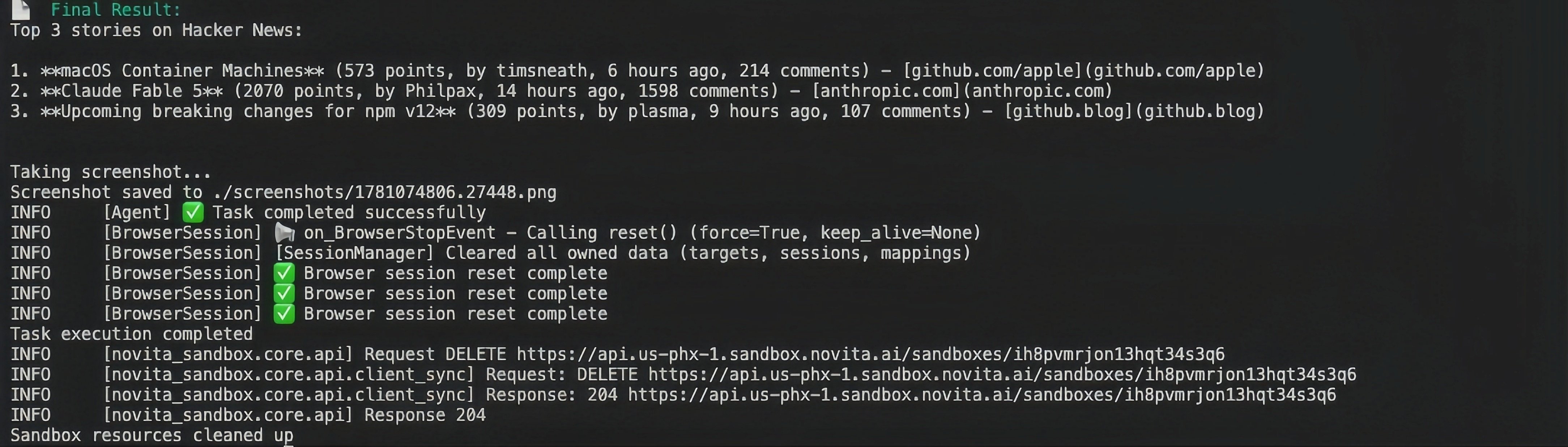
Depois de instalar as dependências e configurar as variáveis de ambiente, você pode executar o código de exemplo. Você verá a saída no terminal como abaixo se tudo correr bem. O Browser-use está executando tarefas no navegador remoto dentro do seu sandbox.
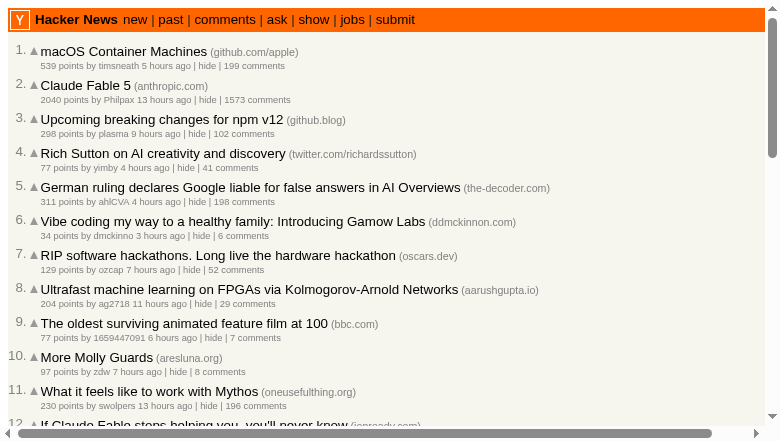
Ele gerará capturas de tela como abaixo:
Para executar uma demonstração mais completa, consulte [aqui](https://github.com/novitalabs/Novita-CollabHub/tree/main/examples/browser-use).
 Ele gerará capturas de tela como abaixo:
 Para executar uma demonstração mais completa, consulte [aqui](https://github.com/novitalabs/Novita-CollabHub/tree/main/examples/browser-use).