> ## Documentation Index
> Fetch the complete documentation index at: https://novita.ai/docs/llms.txt
> Use this file to discover all available pages before exploring further.
# Computergebruik met Desktop
export const SetupApiKeyGuide = () => {
if (typeof document === "undefined") {
return null;
} else {
return <>
If you don't have a Novita account, you need to sign up first. For details, please refer to Quick Start. After signing up, you can create an API key through the Key Management page and save it for subsequent steps.
;
}
};
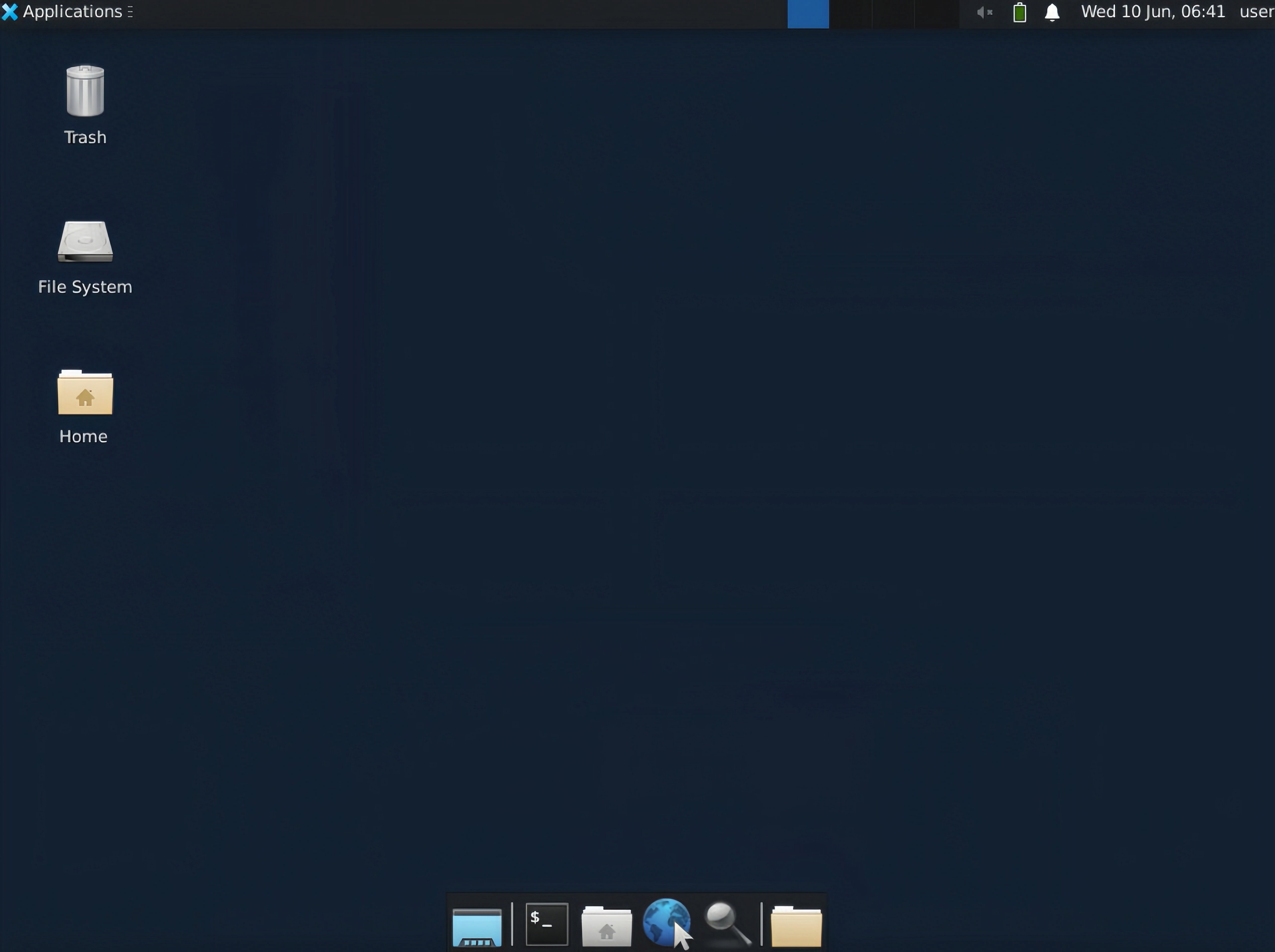
***Novita Desktop*** is een veilig virtueel-desktopframework dat specifiek is ontwikkeld voor het bouwen van Computer Use Agents. Deze oplossing biedt een uitgebreide, geïsoleerde desktopomgeving waarmee AI-agents veilig kunnen communiceren met desktopapplicaties via gecontroleerde virtualisatie.
Dit document bevat gedetailleerde instructies voor het uitvoeren hiervan op de Novita Agent-sandboxservice.
### 1. Novita API-sleutel verkrijgen
### 2. Omgevingsconfiguratie
Voordat je de service gaat gebruiken, moet je de benodigde omgevingsvariabelen configureren:
```bash Bash icon="terminal" highlight={1} theme={"system"}
export NOVITA_API_KEY=
```
### 3. SDK-installatie
Selecteer de juiste installatiemethode die overeenkomt met je ontwikkelomgeving en programmeertaal:
```bash JavaScript & TypeScript icon="terminal" theme={"system"}
npm i novita_sandbox
```
```bash Python icon="terminal" theme={"system"}
pip install novita_sandbox
```
### 4. Implementatievoorbeelden
#### VNC-URL voor virtuele desktopstream ophalen
De volgende implementatie demonstreert het instantiëren van een virtuele desktopomgeving en het ophalen van VNC-toegangsendpoints voor interactie met een externe desktop:
```js JavaScript & TypeScript icon="js" theme={"system"}
// demo.ts implementation
import { Sandbox } from 'novita-sandbox/desktop'
async function main() {
// Initialize virtual desktop sandbox instance
const desktop = await Sandbox.create()
// Activate desktop streaming service
await desktop.stream.start()
// Retrieve interactive VNC endpoint URL
const url = desktop.stream.getUrl()
console.log(url)
// Expected output format:
// Browser-accessible URL for interactive virtual desktop session. Suitable for application integration.
// https://6080-ik0n7lc3j0dvqd4jxy6g7.us-phx-1.sandbox.novita.ai/vnc.html?autoconnect=true&resize=scale
// Retrieve read-only VNC endpoint URL (interaction disabled)
const urlDisabledInteraction = desktop.stream.getUrl({ viewOnly: true })
console.log(urlDisabledInteraction)
// Expected output format:
// Browser-accessible URL for view-only virtual desktop session (non-interactive mode). Suitable for monitoring applications.
// https://6080-ik0n7lc3j0dvqd4jxy6g7.us-phx-1.sandbox.novita.ai/vnc.html?autoconnect=true&view_only=true&resize=scale
// Keep the program running
console.log("Desktop stream started, press Ctrl+C to stop the program...")
const interval = setInterval(() => {}, 1000)
// Register interrupt signal handlers for resource cleanup
let isCleaning = false
const cleanup = async () => {
if (isCleaning) return
isCleaning = true
console.log("\nProgram interrupted, cleaning up resources...")
clearInterval(interval)
try {
await desktop.stream.stop() // Terminate streaming service
await desktop.kill() // Deallocate sandbox instance
} catch (err) {
console.error("Error cleaning up resources:", err)
}
process.exit(0)
}
process.on('SIGINT', cleanup)
process.on('SIGTERM', cleanup)
}
main().catch(console.error)
```
```python Python icon="python" theme={"system"}
# demo.py implementation
from novita_sandbox.desktop import Sandbox
# Initialize virtual desktop sandbox instance
desktop = Sandbox.create()
# Activate desktop streaming service
desktop.stream.start()
# Retrieve interactive VNC endpoint URL
url = desktop.stream.get_url()
print(url)
# Expected output format:
# Browser-accessible URL for interactive virtual desktop session. Suitable for application integration.
# https://6080-ik0n7lc3j0dvqd4jxy6g7.us-phx-1.sandbox.novita.ai/vnc.html?autoconnect=true&resize=scale
# Retrieve read-only VNC endpoint URL (interaction disabled)
url_readonly = desktop.stream.get_url(view_only=True)
print(url_readonly)
# Expected output format:
# Browser-accessible URL for view-only virtual desktop session (non-interactive mode). Suitable for monitoring applications.
# https://6080-ik0n7lc3j0dvqd4jxy6g7.us-phx-1.sandbox.novita.ai/vnc.html?autoconnect=true&view_only=true&resize=scale
# Implement keyboard interrupt handling for graceful shutdown
try:
print("Desktop stream started, press Ctrl+C to stop the program...")
import time
while True:
time.sleep(0.1)
except KeyboardInterrupt:
print("\nProgram interrupted, cleaning up resources...")
# Execute resource deallocation procedures
desktop.stream.stop() # Terminate streaming service
desktop.kill() # Deallocate sandbox instance
```
Voorbeeld uitvoeren:
 VNC-URL voor virtuele desktopstream openen: