> ## Documentation Index
> Fetch the complete documentation index at: https://novita.ai/docs/llms.txt
> Use this file to discover all available pages before exploring further.
# LlamaIndex
> Integreer Novita AI moeiteloos met LlamaIndex om intelligente, datagedreven applicaties te bouwen.
Ontworpen voor optimale indexering en retrieval, blinkt LlamaIndex uit in het leveren van hoge efficiëntie voor applicaties die nauwkeurige en snelle gegevenstoegang vereisen. Door te combineren [Novita AI](https://novita.ai/) met LlamaIndex ontgrendel je belangrijke voordelen zoals superieure nauwkeurigheid bij het ophalen van gegevens, ongeëvenaarde schaalbaarheid en kosteneffectieve prestaties.
Deze gids laat je zien hoe je LlamaIndex met Novita AI kunt gebruiken op basis van de OpenAl APl, en biedt slimmere, schaalbare en zeer efficiënte AI-oplossingen die innovatie stimuleren en uitzonderlijke resultaten opleveren voor ontwikkelaars.
## **Hoe de Novita AI API te integreren met LlamaIndex**
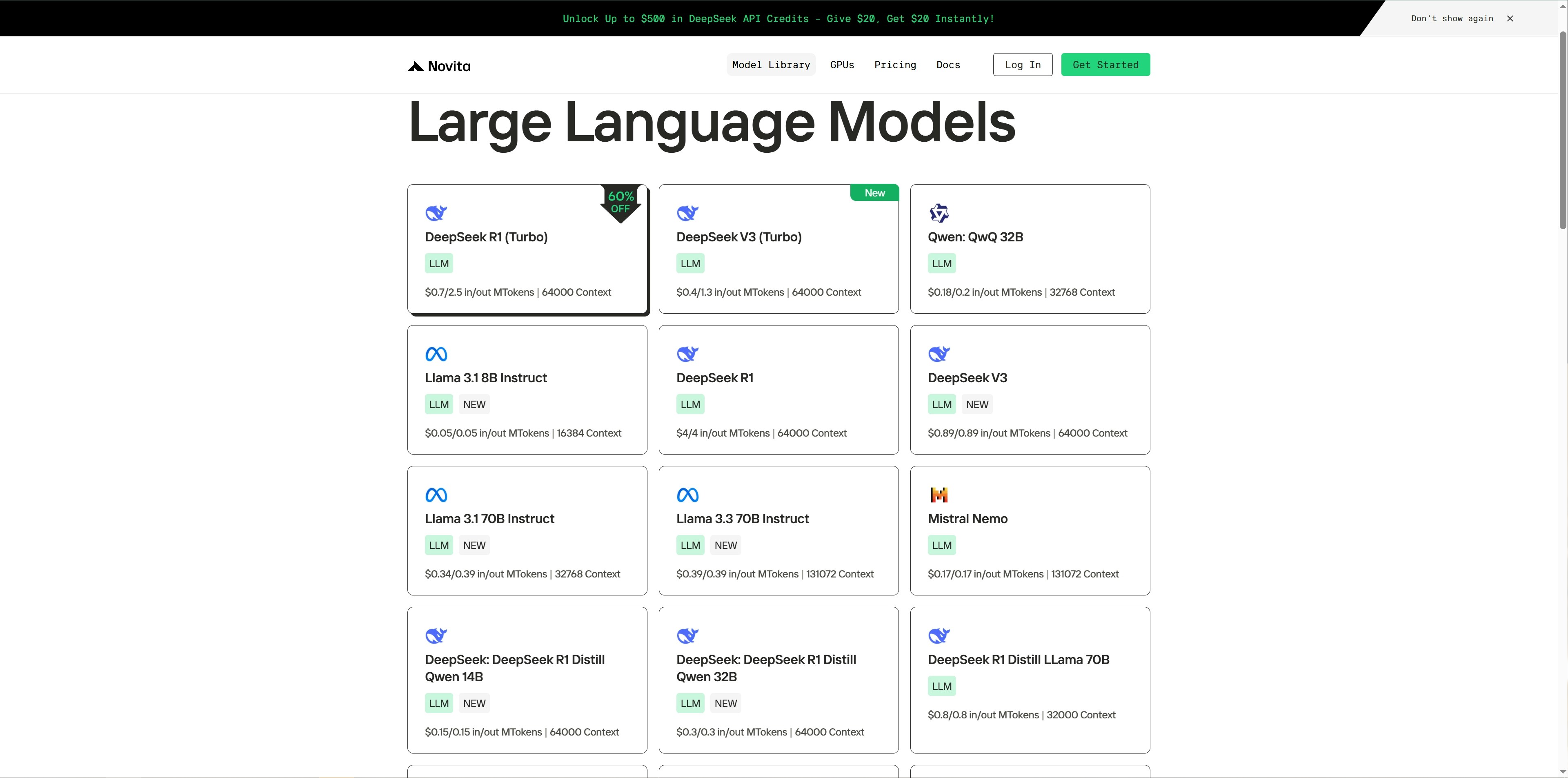
Stap 1: Bezoek [Modelbibliotheek](https://novita.ai/llm-api) op Novita AI en selecteer een model dat je interesseert.
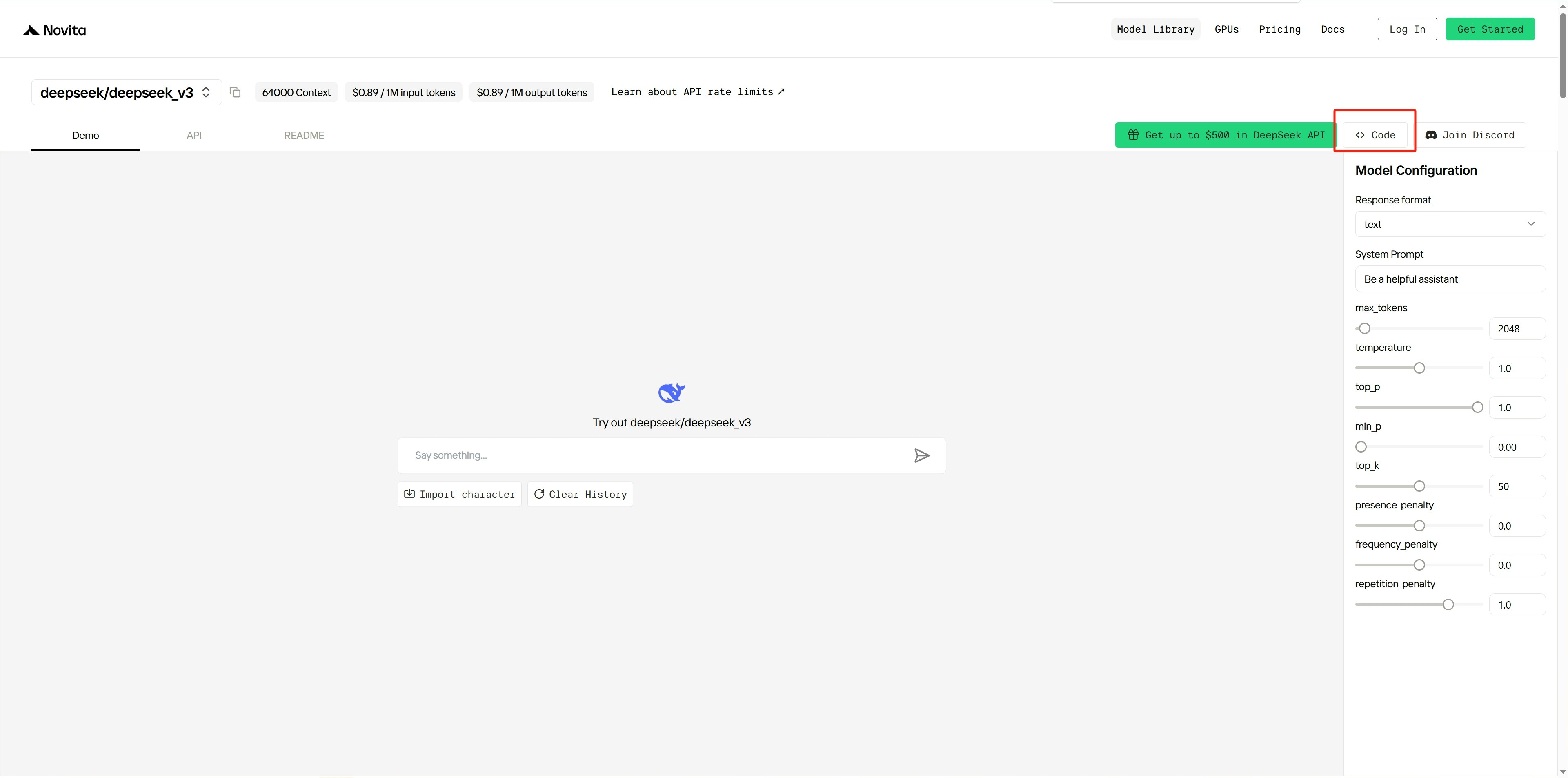
 Stap 2: Navigeer naar de demopagina van het gekozen model en klik op de `Code` knop aan de rechterkant.
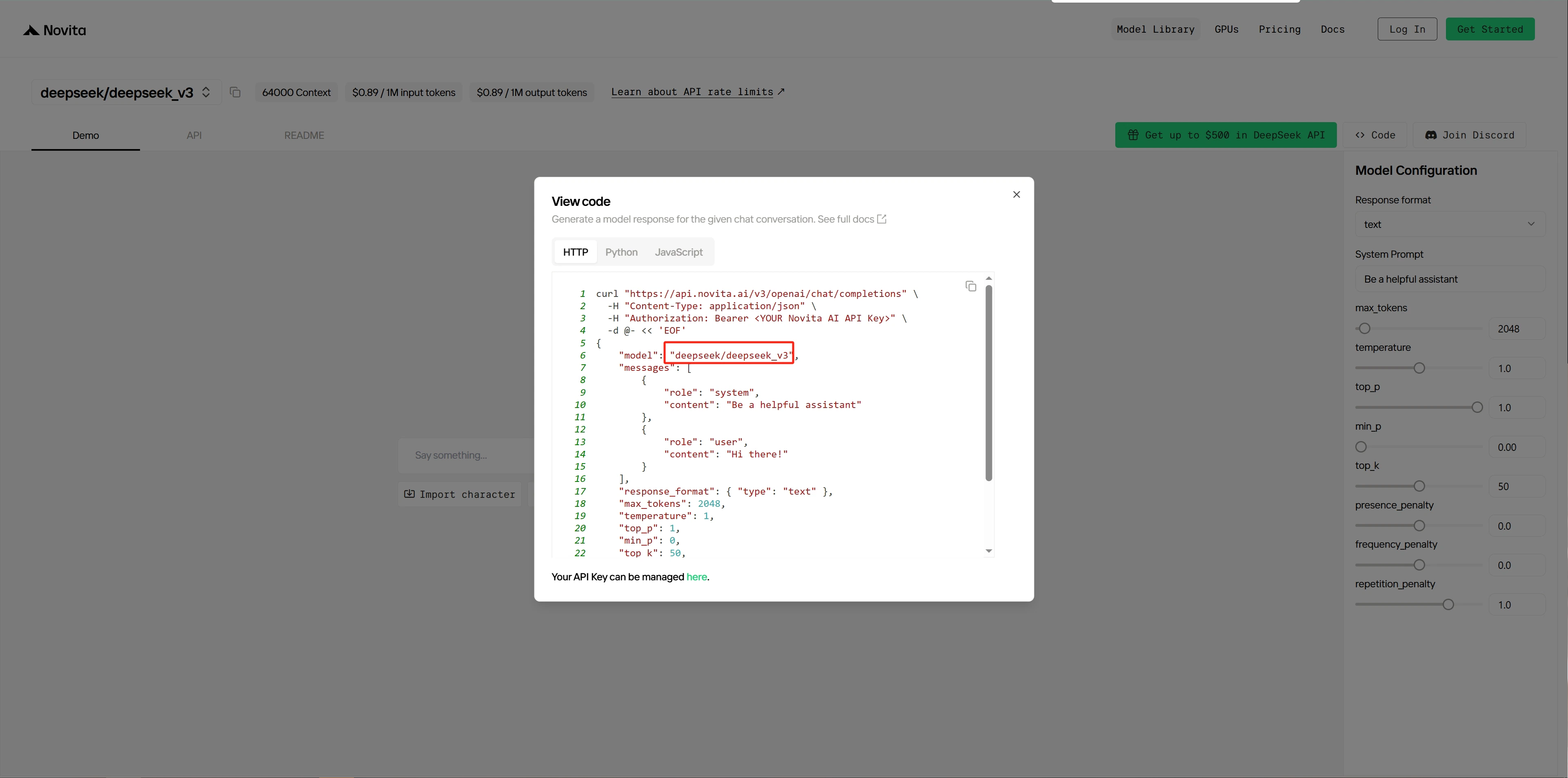
 Stap 3: Kopieer de naam van het model en noteer deze.
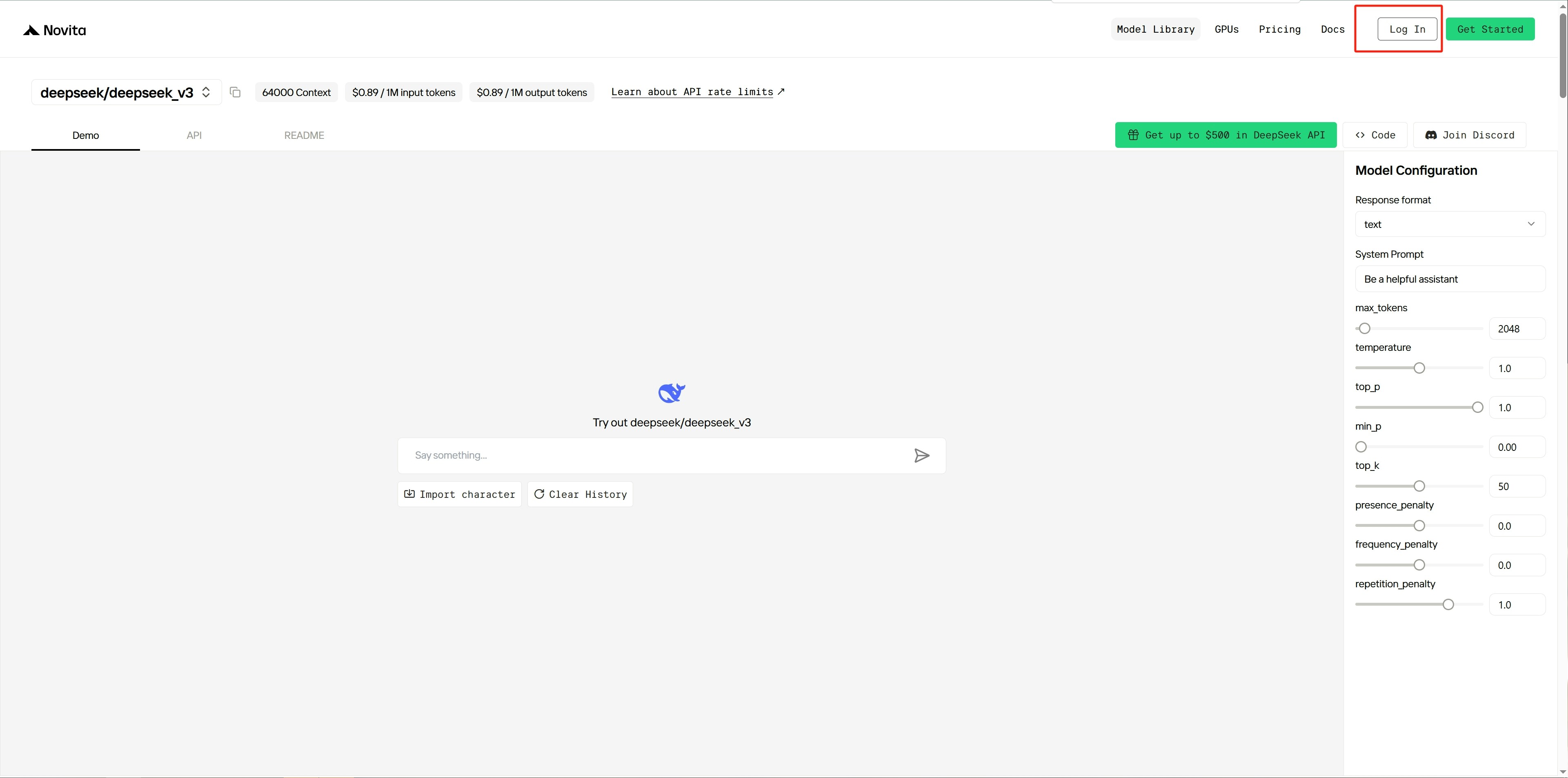
 Stap 4: [Inloggen ](https://novita.ai/user/login)naar het Novita-platform.
 Stap 5: Nadat je bent ingelogd, ga je naar het platform’s [instellingenpagina](https://novita.ai/settings).
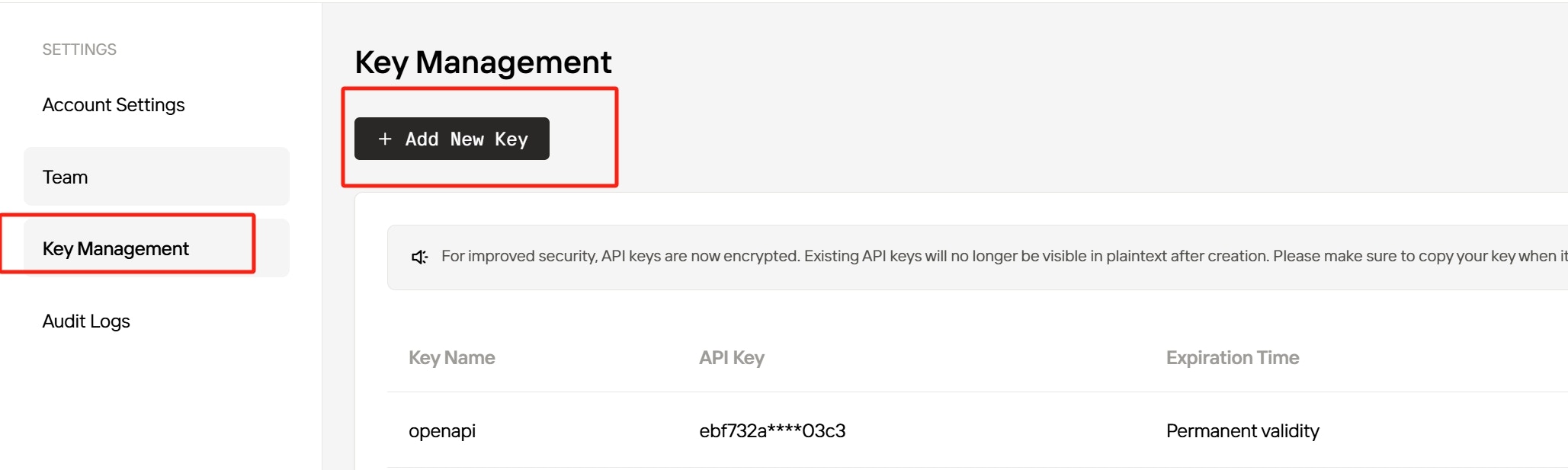
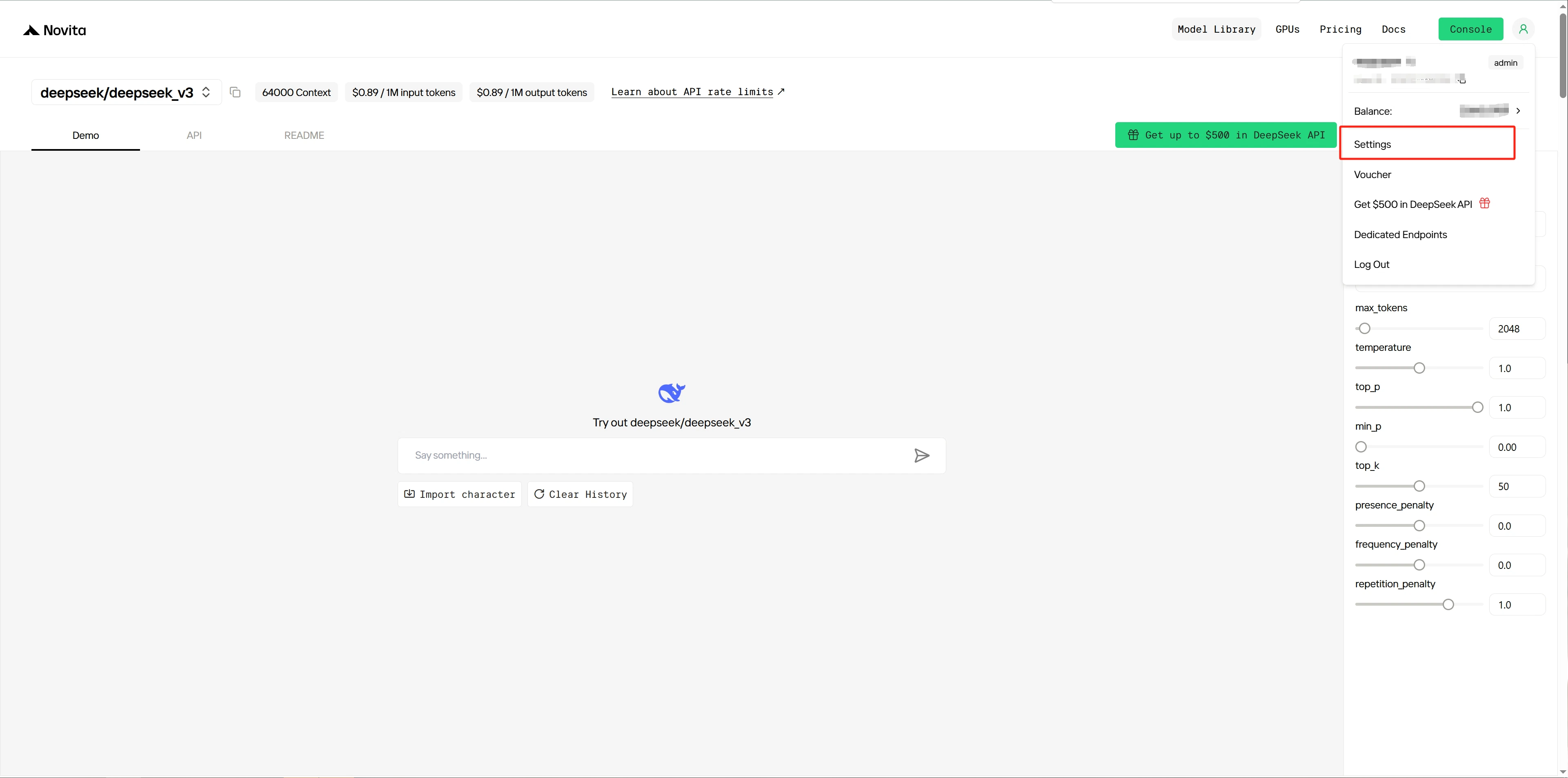 Stap 6: Maak een nieuwe [API-sleutel](https://novita.ai/settings/key-management) en kopieer het voor service-authenticatie.
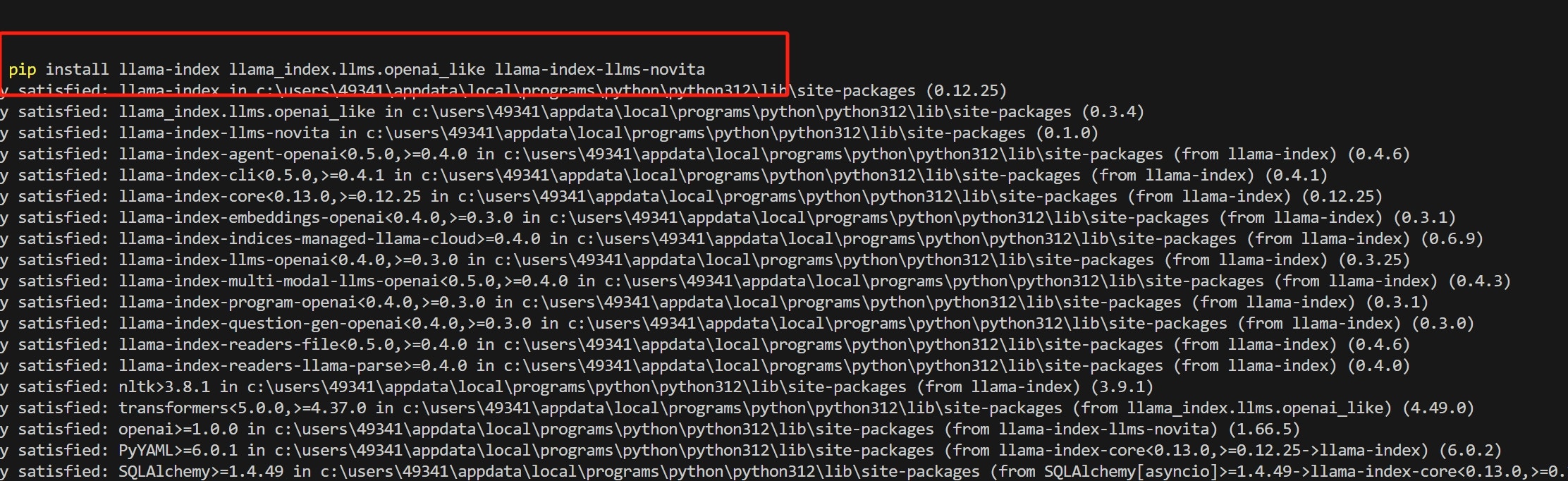
 Stap 7: Installeren `llama_index` en gerelateerde Python-bibliotheken door uit te voeren:
 Stap 8: Schrijf Python-code en stel de modelnaam en API-sleutel in als parameters in de NovitaAI-klasse.
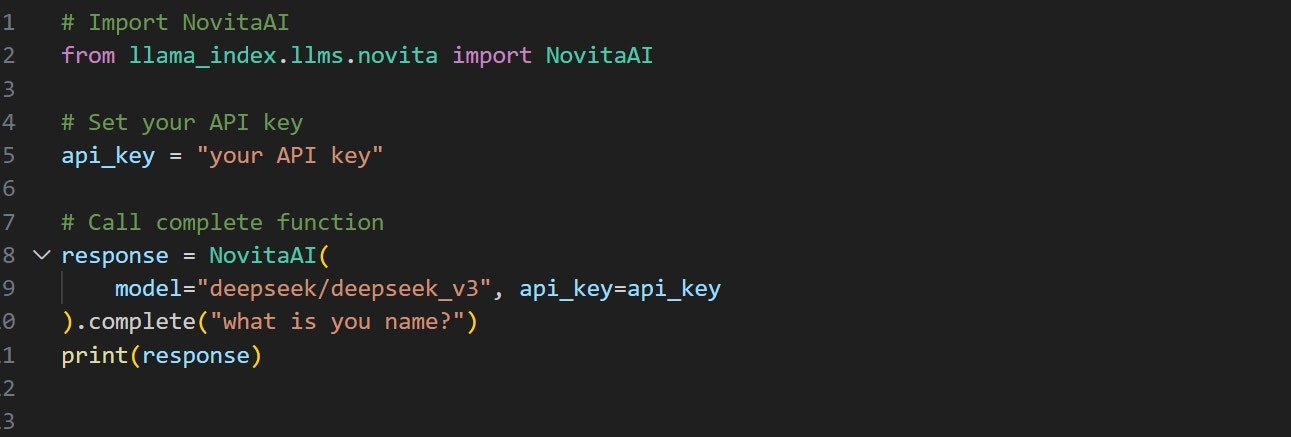 Stap 9: Voer de code uit om de uitvoer te krijgen.
 Raadpleeg voor meer voorbeelden de documentatie: [llama\_index/llama-index-integrations/llms/llama-index-llms-novita op main · run-llama/llama\_index](https://github.com/run-llama/llama_index/tree/main/llama-index-integrations/llms/llama-index-llms-novita).