> ## Documentation Index
> Fetch the complete documentation index at: https://novita.ai/docs/llms.txt
> Use this file to discover all available pages before exploring further.
# Computernutzung mit Desktop
export const SetupApiKeyGuide = () => {
if (typeof document === "undefined") {
return null;
} else {
return <>
If you don't have a Novita account, you need to sign up first. For details, please refer to Quick Start. After signing up, you can create an API key through the Key Management page and save it for subsequent steps.
;
}
};
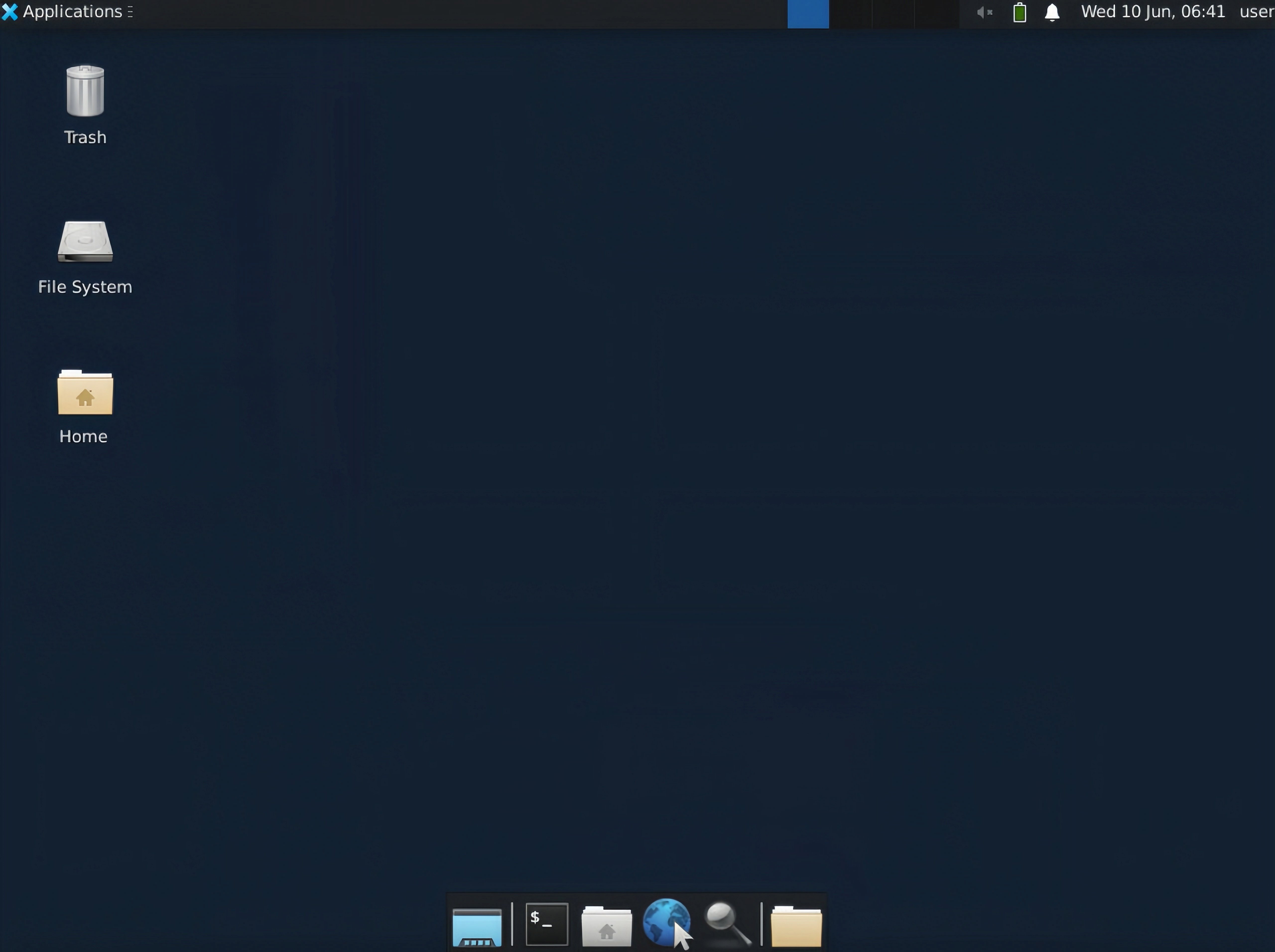
***Novita Desktop*** ist ein sicheres Framework für virtuelle Desktops, das speziell für die Entwicklung von Computer-Use-Agenten konzipiert wurde. Diese Lösung bietet eine umfassende, isolierte Desktop-Umgebung, die es KI-Agenten ermöglicht, über kontrollierte Virtualisierung sicher mit Desktop-Anwendungen zu interagieren.
Dieses Dokument enthält detaillierte Anweisungen dazu, wie Sie dies im Novita Agent Sandbox Service ausführen.
### 1. Novita-API-Schlüssel abrufen
### 2. Umgebungskonfiguration
Bevor Sie den Dienst verwenden, müssen Sie die erforderlichen Umgebungsvariablen konfigurieren:
```bash Bash icon="terminal" highlight={1} theme={"system"}
export NOVITA_API_KEY=
```
### 3. SDK-Installation
Wählen Sie die passende Installationsmethode entsprechend Ihrer Entwicklungsumgebung und Programmiersprache aus:
```bash JavaScript & TypeScript icon="terminal" theme={"system"}
npm i novita_sandbox
```
```bash Python icon="terminal" theme={"system"}
pip install novita_sandbox
```
### 4. Implementierungsbeispiele
#### VNC-URL des virtuellen Desktop-Streams abrufen
Die folgende Implementierung demonstriert die Instanziierung einer virtuellen Desktop-Umgebung und den Abruf von VNC-Zugriffsendpunkten für die Remote-Desktop-Interaktion:
```js JavaScript & TypeScript icon="js" theme={"system"}
// demo.ts implementation
import { Sandbox } from 'novita-sandbox/desktop'
async function main() {
// Initialize virtual desktop sandbox instance
const desktop = await Sandbox.create()
// Activate desktop streaming service
await desktop.stream.start()
// Retrieve interactive VNC endpoint URL
const url = desktop.stream.getUrl()
console.log(url)
// Expected output format:
// Browser-accessible URL for interactive virtual desktop session. Suitable for application integration.
// https://6080-ik0n7lc3j0dvqd4jxy6g7.us-phx-1.sandbox.novita.ai/vnc.html?autoconnect=true&resize=scale
// Retrieve read-only VNC endpoint URL (interaction disabled)
const urlDisabledInteraction = desktop.stream.getUrl({ viewOnly: true })
console.log(urlDisabledInteraction)
// Expected output format:
// Browser-accessible URL for view-only virtual desktop session (non-interactive mode). Suitable for monitoring applications.
// https://6080-ik0n7lc3j0dvqd4jxy6g7.us-phx-1.sandbox.novita.ai/vnc.html?autoconnect=true&view_only=true&resize=scale
// Keep the program running
console.log("Desktop stream started, press Ctrl+C to stop the program...")
const interval = setInterval(() => {}, 1000)
// Register interrupt signal handlers for resource cleanup
let isCleaning = false
const cleanup = async () => {
if (isCleaning) return
isCleaning = true
console.log("\nProgram interrupted, cleaning up resources...")
clearInterval(interval)
try {
await desktop.stream.stop() // Terminate streaming service
await desktop.kill() // Deallocate sandbox instance
} catch (err) {
console.error("Error cleaning up resources:", err)
}
process.exit(0)
}
process.on('SIGINT', cleanup)
process.on('SIGTERM', cleanup)
}
main().catch(console.error)
```
```python Python icon="python" theme={"system"}
# demo.py implementation
from novita_sandbox.desktop import Sandbox
# Initialize virtual desktop sandbox instance
desktop = Sandbox.create()
# Activate desktop streaming service
desktop.stream.start()
# Retrieve interactive VNC endpoint URL
url = desktop.stream.get_url()
print(url)
# Expected output format:
# Browser-accessible URL for interactive virtual desktop session. Suitable for application integration.
# https://6080-ik0n7lc3j0dvqd4jxy6g7.us-phx-1.sandbox.novita.ai/vnc.html?autoconnect=true&resize=scale
# Retrieve read-only VNC endpoint URL (interaction disabled)
url_readonly = desktop.stream.get_url(view_only=True)
print(url_readonly)
# Expected output format:
# Browser-accessible URL for view-only virtual desktop session (non-interactive mode). Suitable for monitoring applications.
# https://6080-ik0n7lc3j0dvqd4jxy6g7.us-phx-1.sandbox.novita.ai/vnc.html?autoconnect=true&view_only=true&resize=scale
# Implement keyboard interrupt handling for graceful shutdown
try:
print("Desktop stream started, press Ctrl+C to stop the program...")
import time
while True:
time.sleep(0.1)
except KeyboardInterrupt:
print("\nProgram interrupted, cleaning up resources...")
# Execute resource deallocation procedures
desktop.stream.stop() # Terminate streaming service
desktop.kill() # Deallocate sandbox instance
```
Ausführungsbeispiel:
 Auf die VNC-URL des virtuellen Desktop-Streams zugreifen: